
KuCoin authentication uses an API key, API secret and passphrase. Keep transfer and withdrawal permissions disabled.
Open Exchange API Keys
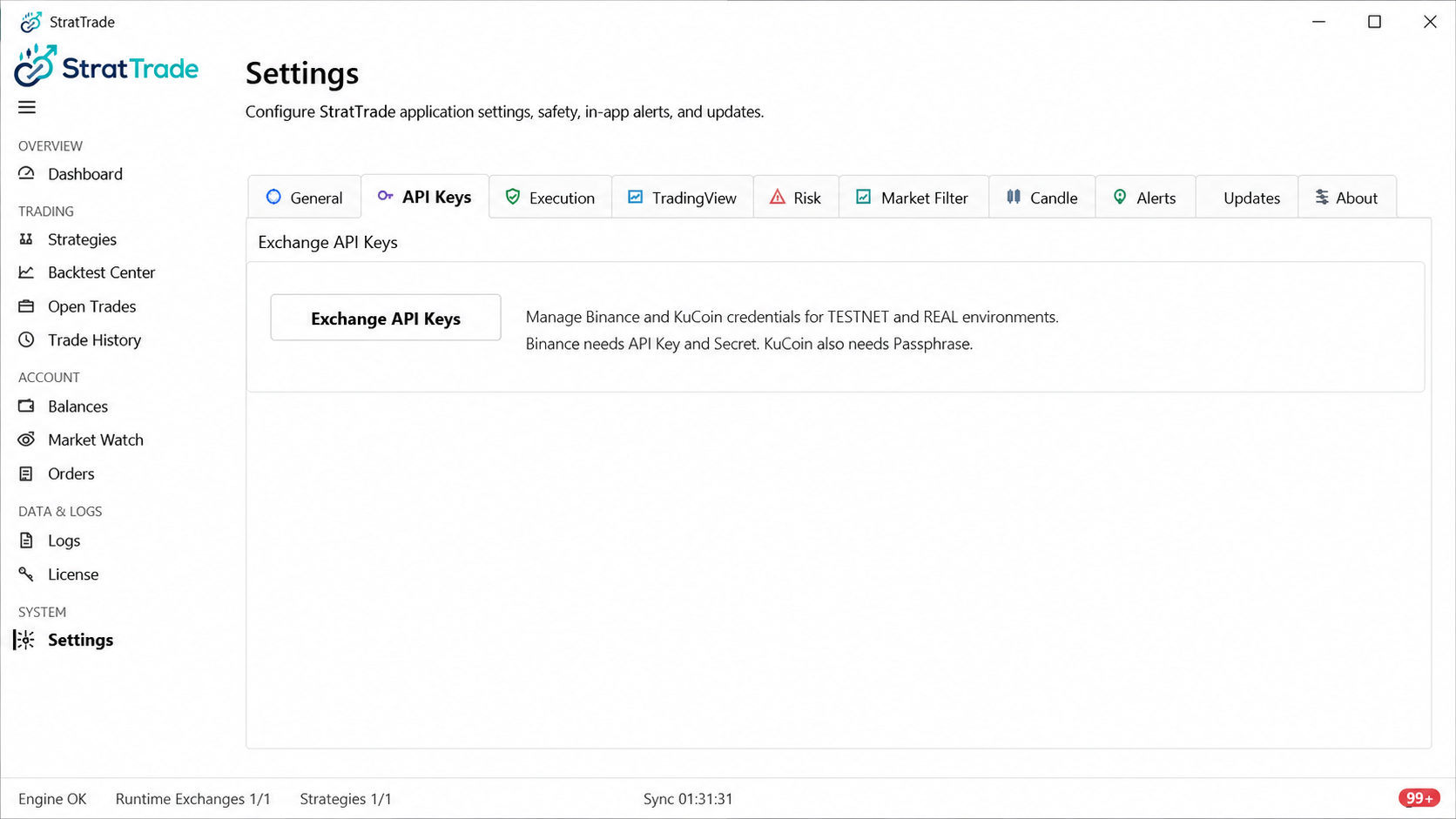
Launch StratTrade, open Settings, then select API Keys. In the Exchange API Keys window, choose KuCoin as the platform.
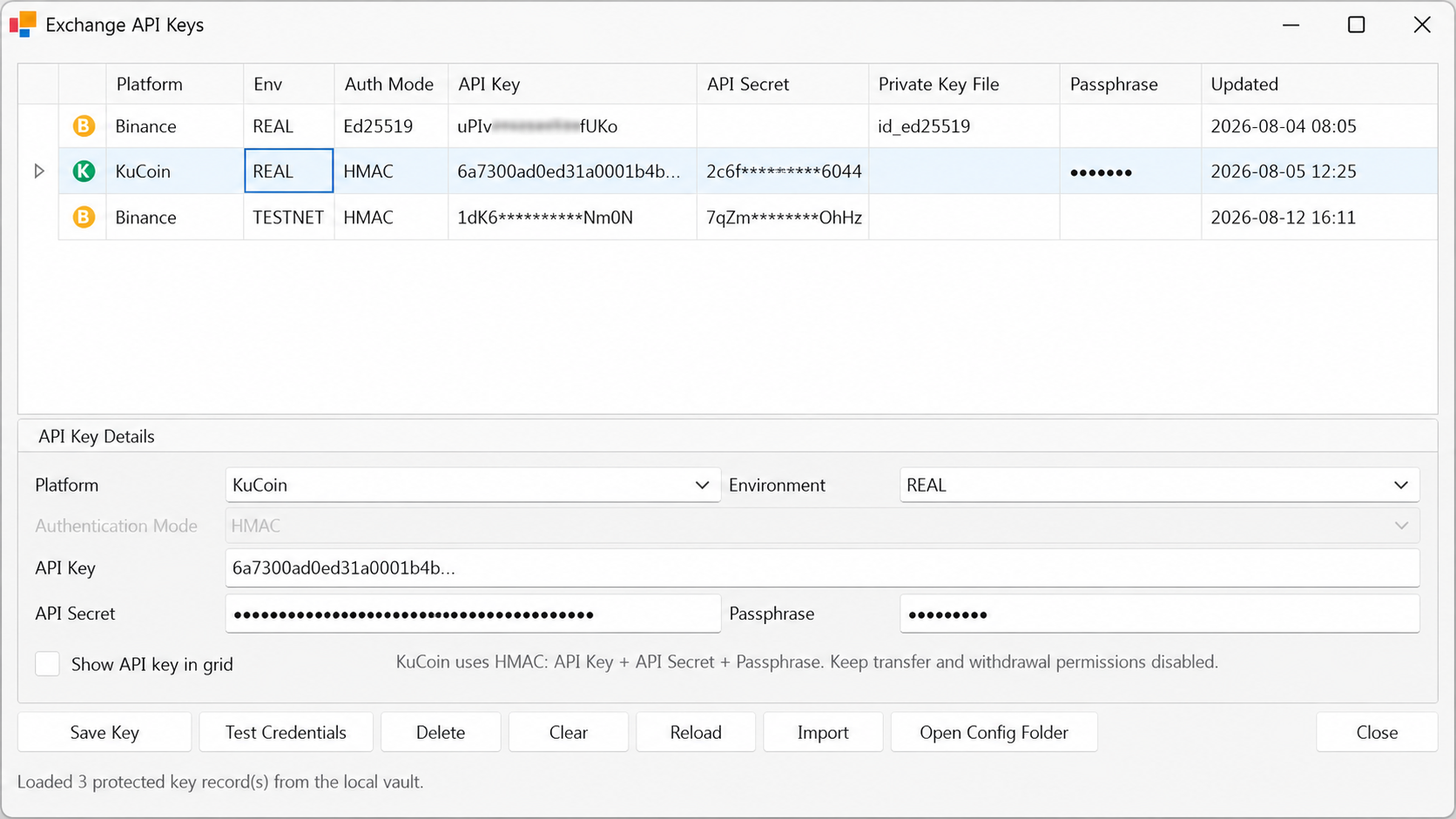
Enter the API key, secret and passphrase
Set the environment to REAL, then enter the KuCoin API Key, API Secret and Passphrase in the corresponding fields.
The passphrase is required for KuCoin authentication. If it is missing or incorrect, the connection test will fail.
Test the KuCoin credentials
Select Test Credentials. A successful test confirms that StratTrade can authenticate and read the account data required for the connection.
Save the KuCoin key
After the credential test succeeds, select Save Key to store the connection in StratTrade.
Confirm that KuCoin is available in the application before assigning it to a strategy.
KuCoin setup complete
Your saved KuCoin connection is ready for supported StratTrade workflows.