
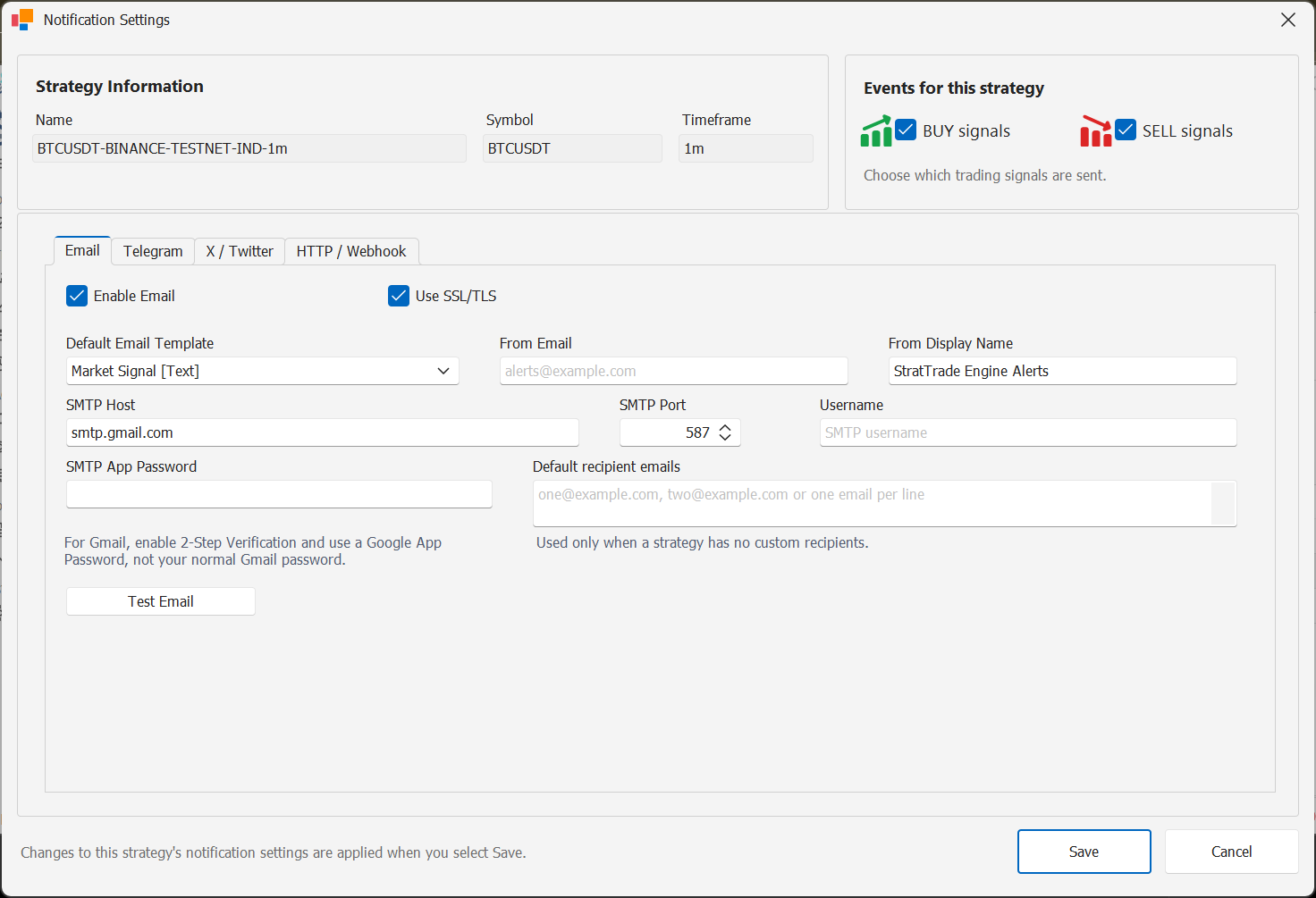
Open the Email notification service
Open the notification services configuration in StratTrade and select Email.
Enable the Email service when you want StratTrade to deliver strategy notifications by email.
Enter the SMTP settings
Enter the SMTP host and port required by your email provider, then configure SSL/TLS and authentication as required.
Complete the sender information and the default recipient addresses used for notifications.
Send a test email
Use the Email test action before enabling the channel on live strategies.
If the test fails, verify the SMTP server, port, authentication credentials and provider security requirements.
Enable Email for the required strategies
After the service works, enable Email in the strategy notification routing for the BUY and SELL events you want to receive.
Channel configuration complete
Enable this channel only for the strategies and BUY / SELL events that should use it.