
1
OPEN
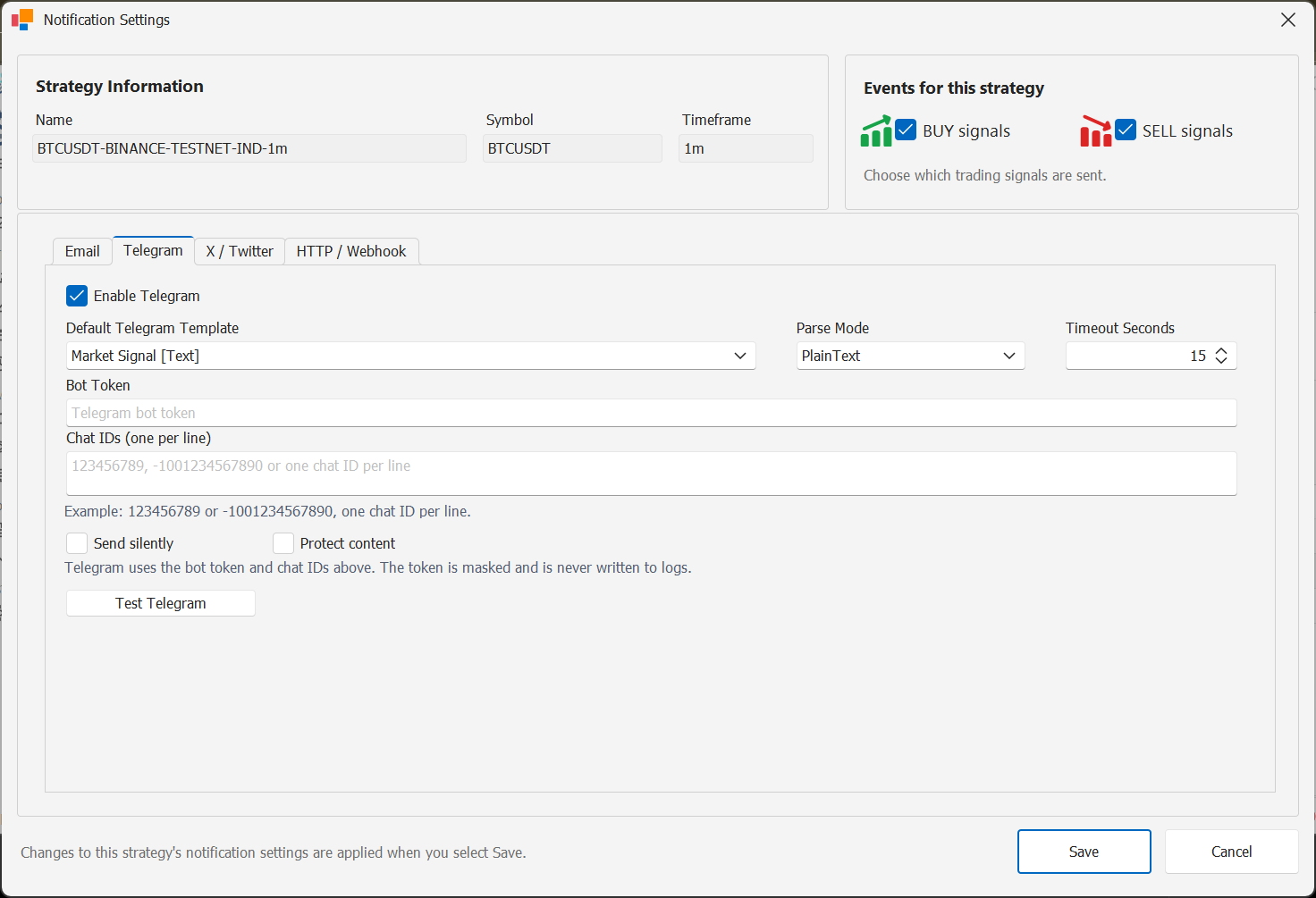
Open the Telegram notification service
Open the notification services configuration and select Telegram.
Enable the Telegram service when you are ready to configure bot delivery.
2
BOT
Enter the bot token and chat ID
Enter the Telegram Bot Token and the default Chat ID or group ID that should receive notifications.
Keep the bot token private and do not include it in screenshots or support tickets.
3
TEST
Send a Telegram test message
Use the Telegram test action to confirm that the bot can deliver a message to the configured destination.
4
ROUTE
Enable Telegram per strategy
Enable Telegram in the notification routing for each strategy that should use this channel and choose the required BUY and SELL events.
Channel configuration complete
Enable this channel only for the strategies and BUY / SELL events that should use it.