
1
EXECUTION
Choose the execution workflow
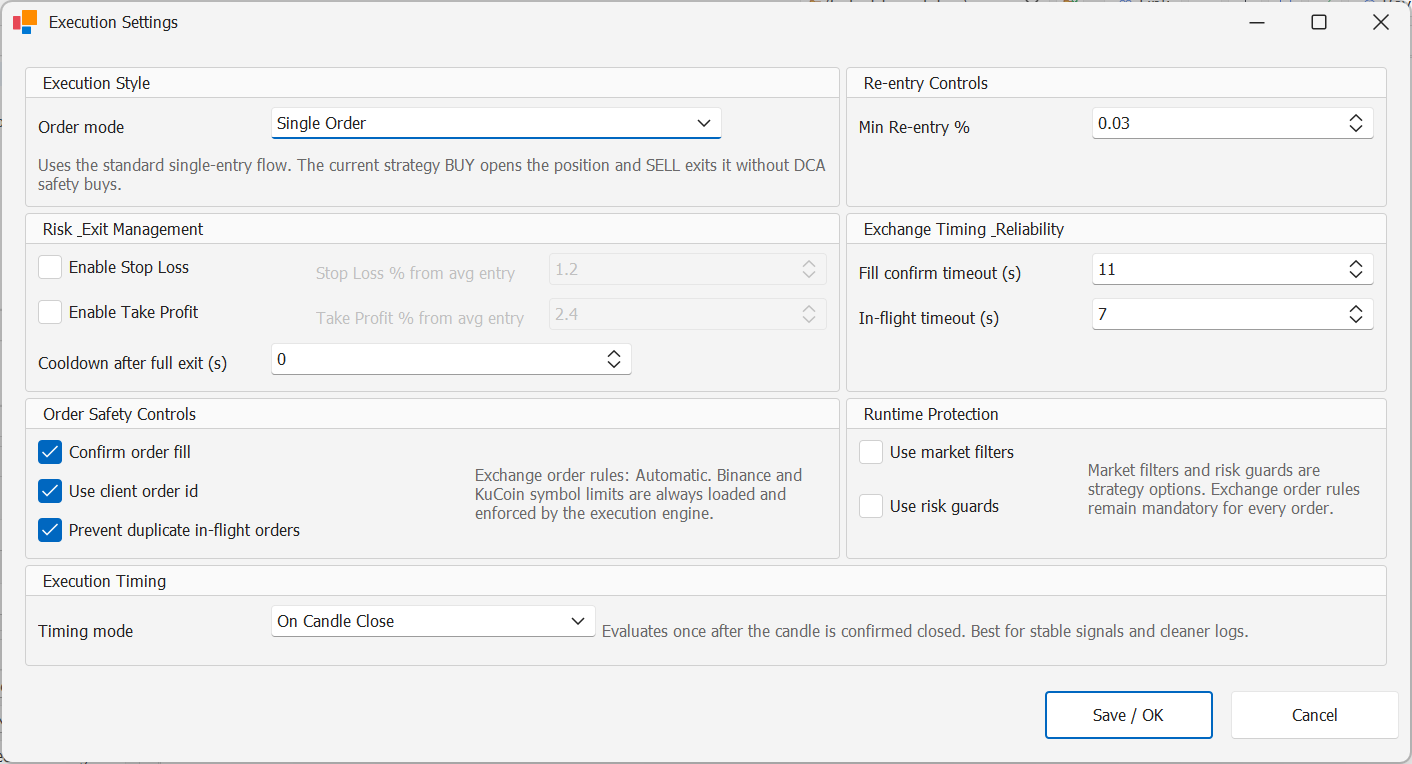
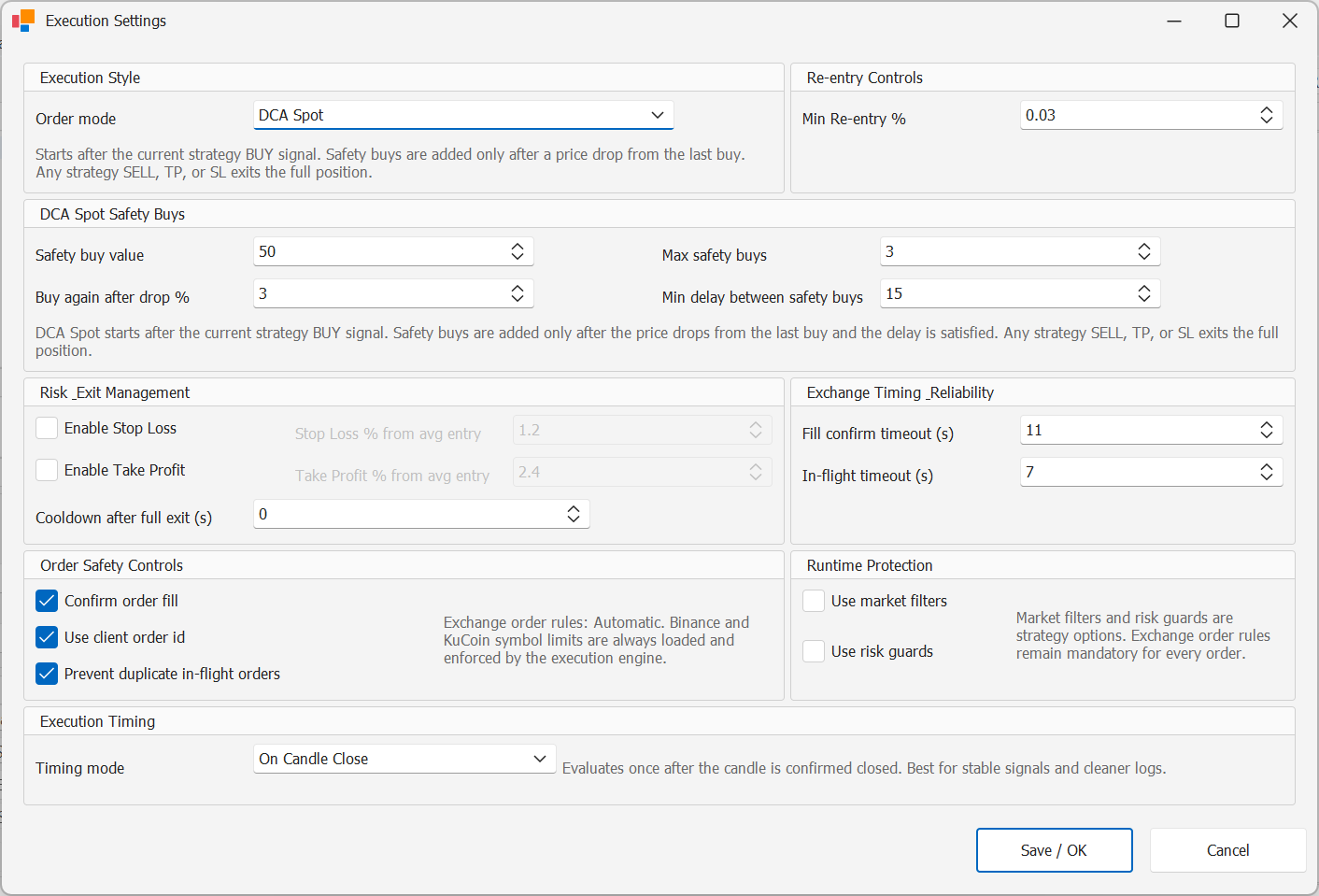
StratTrade supports Single Order and DCA Spot execution workflows. Choose the mode that matches the strategy design and account plan.
Review the order sizing and execution settings before enabling the strategy.
2
PROTECTION
Configure trade protections
Use the strategy protection settings required by your workflow, including Stop Loss and Take Profit where appropriate.
Cooldown, minimum re-entry rules, market filters and other guards should be configured before unattended execution.
3
VERIFY
Confirm the final strategy settings
Before starting the strategy, confirm the exchange environment, execution mode, risk settings and the intended BUY and SELL behavior.
Start with controlled testing and monitor Orders, Open Trades and Logs while validating the workflow.
Execution controls configured
The strategy is ready for monitored runtime testing.