
Choose notification channels
Configure the notification services you want StratTrade to use, then choose the required channels for each strategy.
A strategy can route alerts to one or more supported services according to its notification settings.
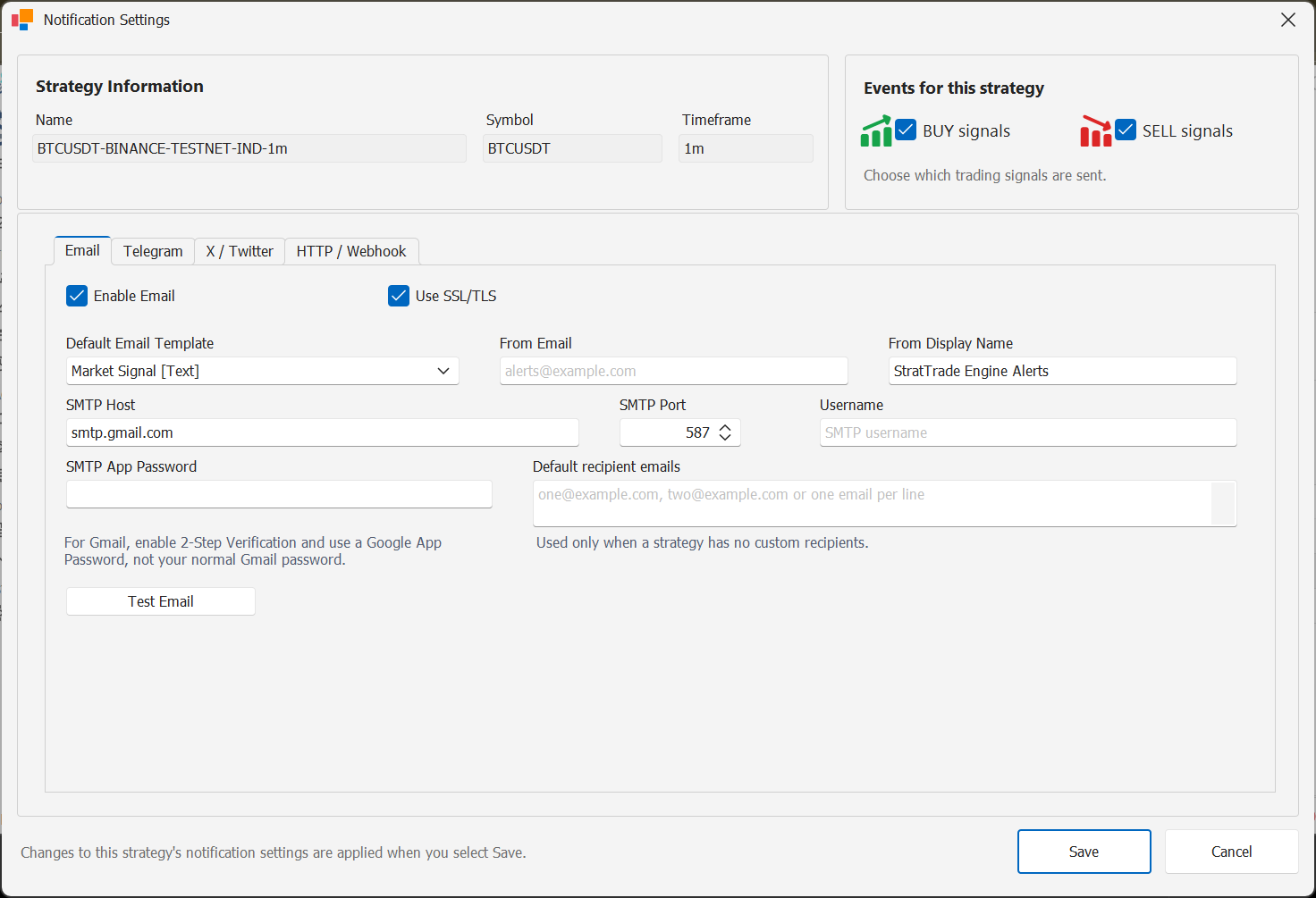
Configure Email
Use the Email notification settings to configure the service used for email alerts, then enable Email for the strategies that should use it.
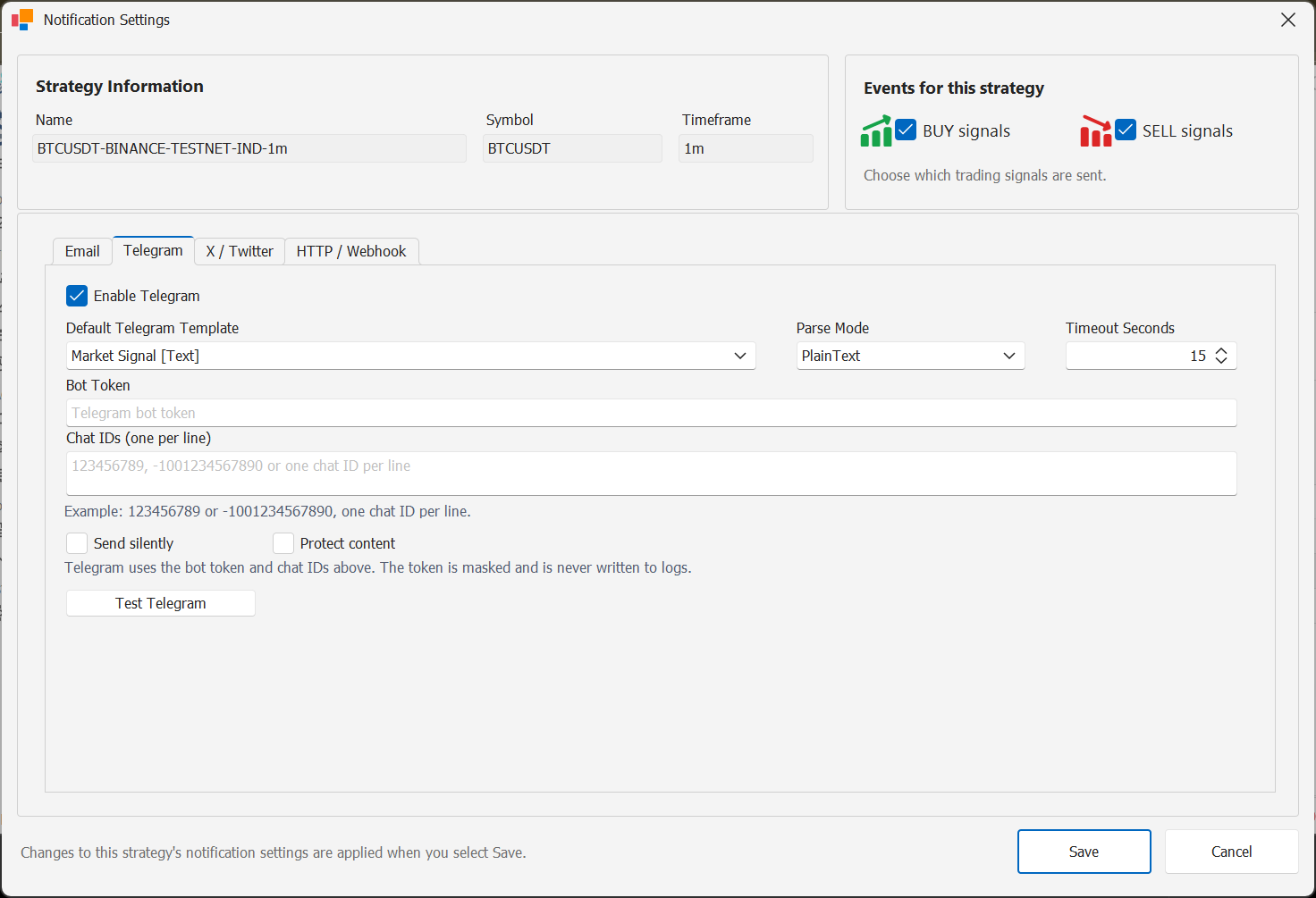
Configure Telegram
Configure the Telegram service, test it if required, then enable Telegram for the strategies that should send Telegram alerts.
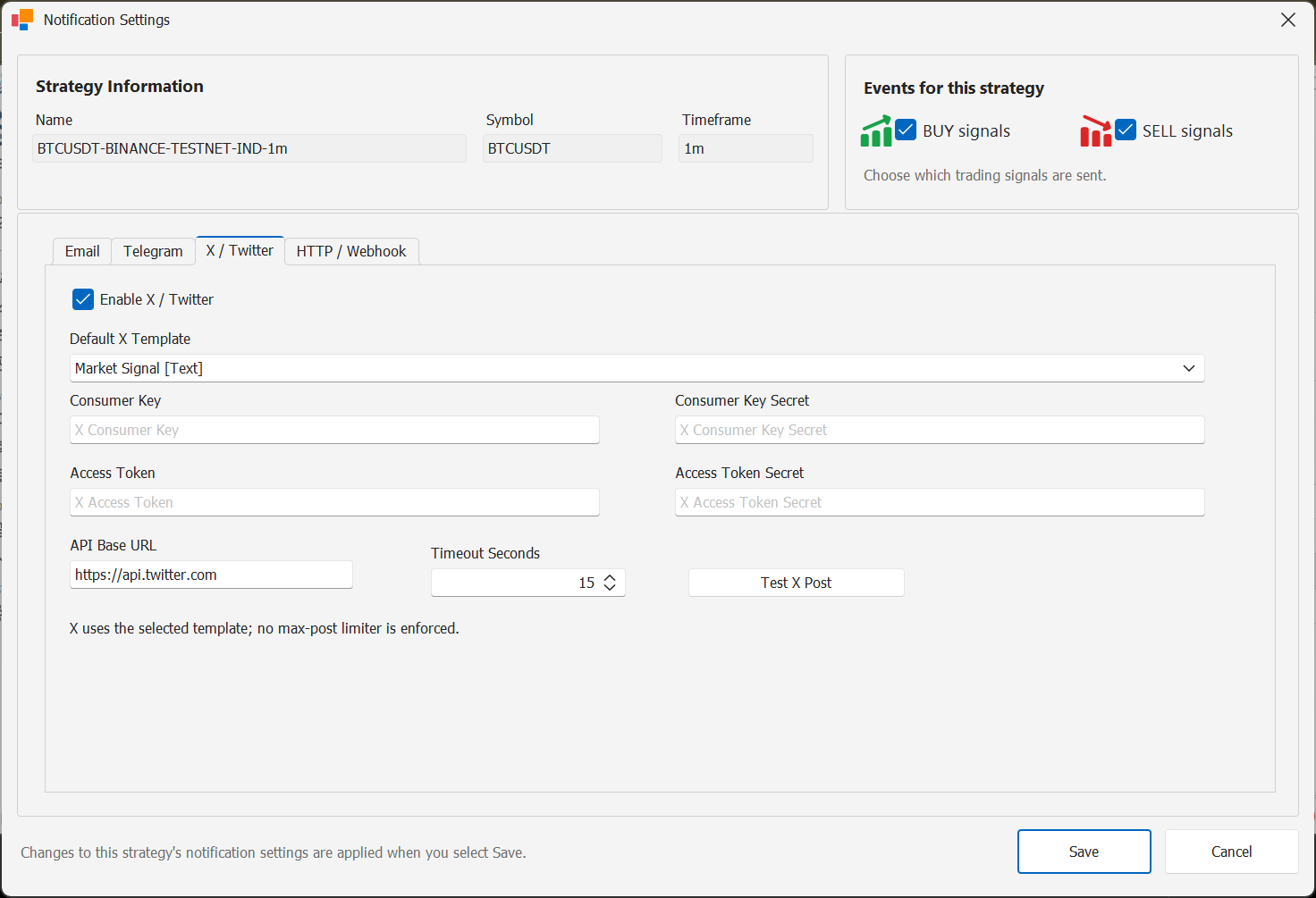
Configure X
Configure the X notification service and enable it for the strategies that should use that channel.
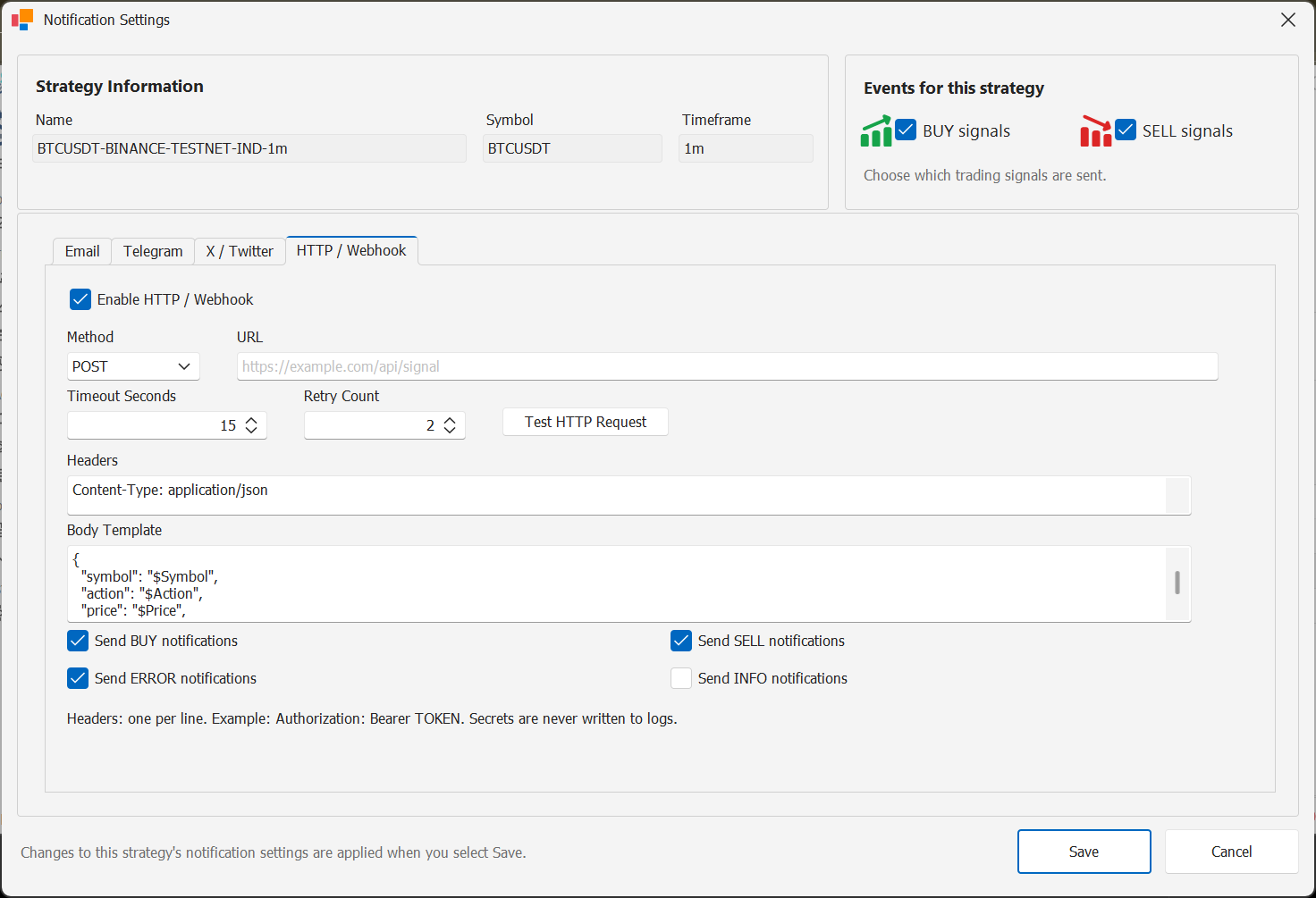
Configure HTTP/Webhook
Use HTTP/Webhook when alerts need to be delivered to an external endpoint that you control.
Verify the endpoint configuration before relying on webhook delivery.
Select BUY and SELL notification events
At strategy level, choose the channels and BUY and SELL events that should generate notifications.
Use Notification Delivery logs to verify that runtime alerts are sent through the intended services.
Notification channel setup guides
Open the detailed guide for the notification service you want to configure.
Notification routing configured
Use Notification Delivery logs to verify real runtime delivery.