
1
OPEN
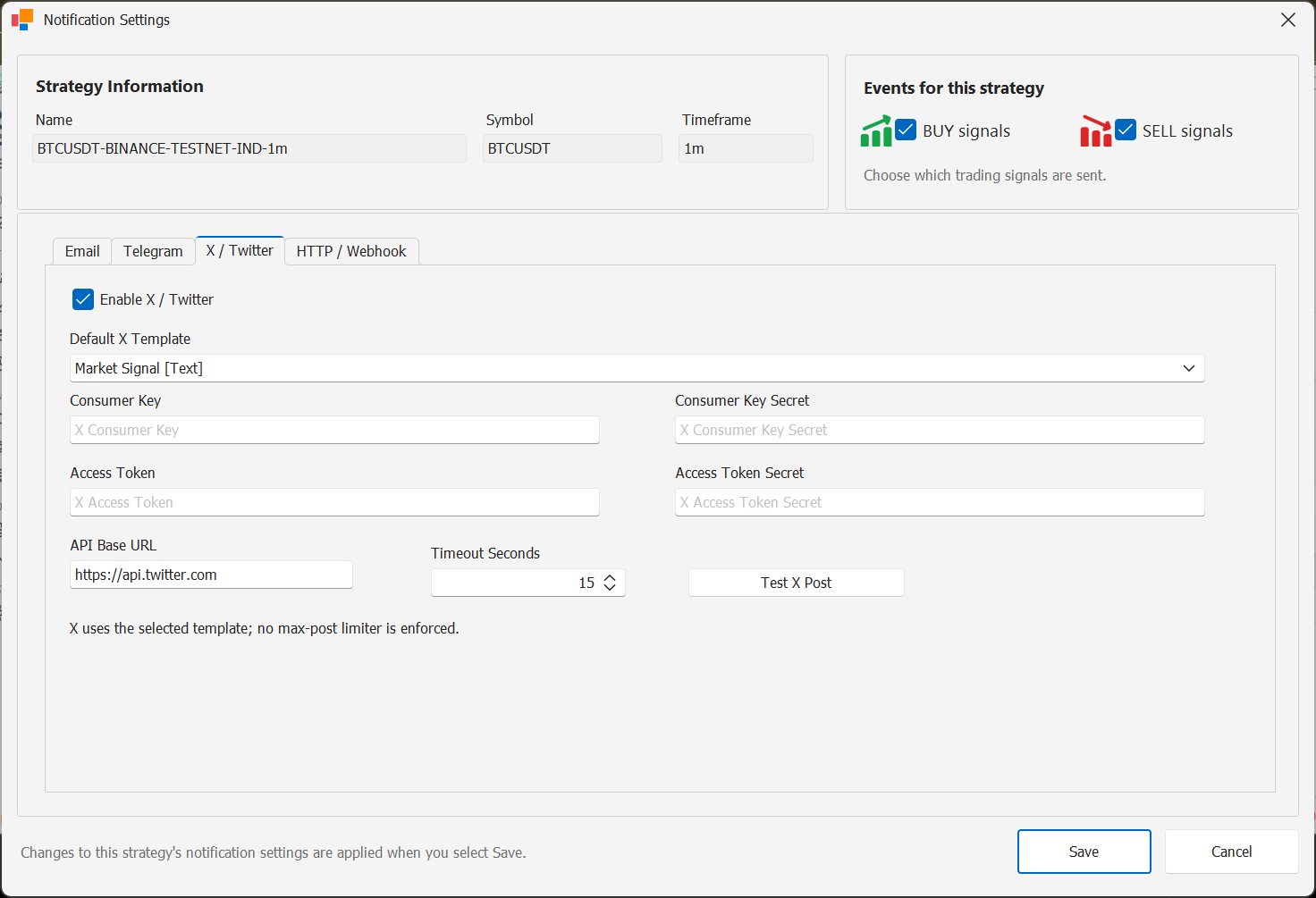
Open the X notification service
Open the notification services configuration and select X / Twitter.
Enable the service only when you intend to use X as a strategy notification channel.
2
CREDENTIALS
Enter the credentials requested by StratTrade
Complete the X service credential fields shown in StratTrade using the credentials for the account or application you intend to use.
Keep all API credentials and tokens private.
3
VERIFY
Verify the service configuration
Use the available test or verification action before enabling the channel on live strategies.
4
ROUTE
Enable X for the required strategies
Enable X in the strategy notification routing and select the BUY and SELL events that should use this channel.
Channel configuration complete
Enable this channel only for the strategies and BUY / SELL events that should use it.