
1
OPEN
Open the HTTP / Webhook service
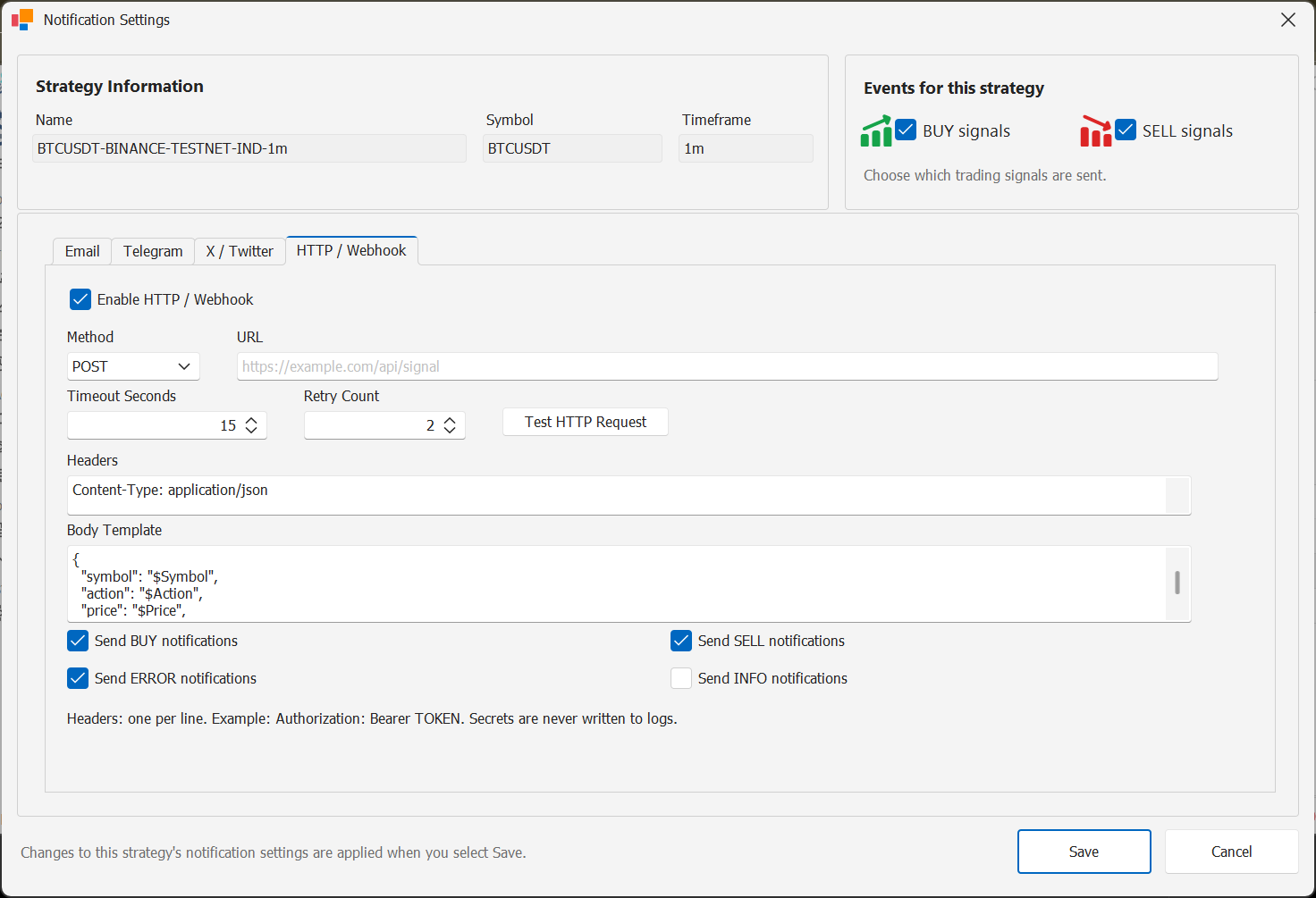
Open the notification services configuration and select HTTP / Webhook.
Enable the service when you have an endpoint ready to receive StratTrade events.
2
ENDPOINT
Configure the endpoint
Enter the endpoint URL and choose the HTTP method and content type required by your receiving service.
Add headers only when they are required by your endpoint and keep authorization values private.
3
TEST
Test webhook delivery
Use the webhook test action to confirm that the endpoint accepts the request and returns the expected response.
4
ROUTE
Enable Webhook per strategy
Enable HTTP / Webhook in the strategy notification routing for the BUY and SELL events that should be delivered externally.
Channel configuration complete
Enable this channel only for the strategies and BUY / SELL events that should use it.